Install the app on your phone
The app then opens from your home screen, full screen, like any other app.
iPhone
Use Safari.
-
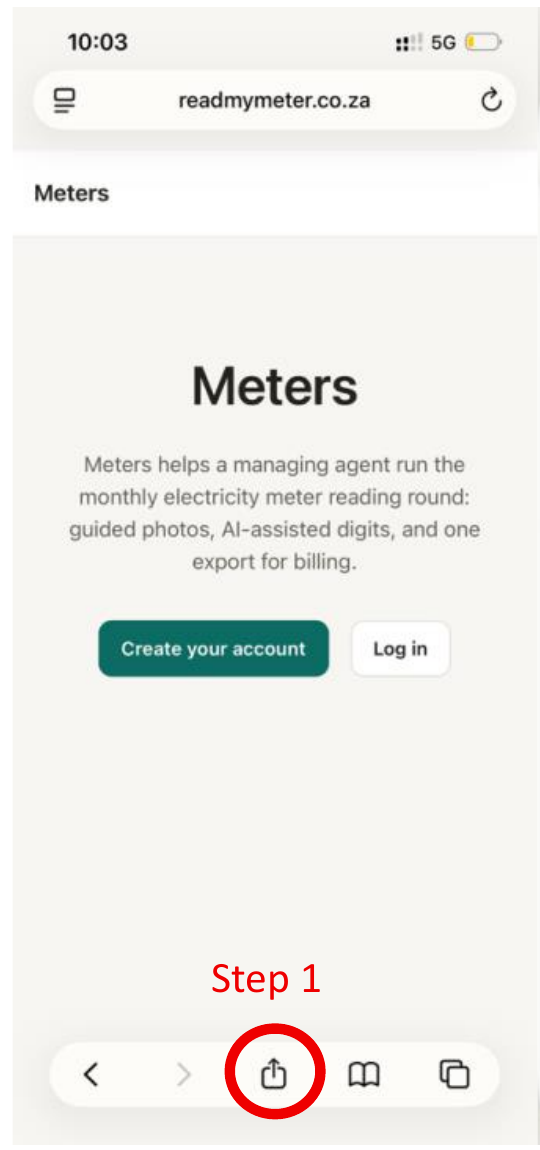
Tap the Share button, the square with the arrow, at the bottom of the screen.
-
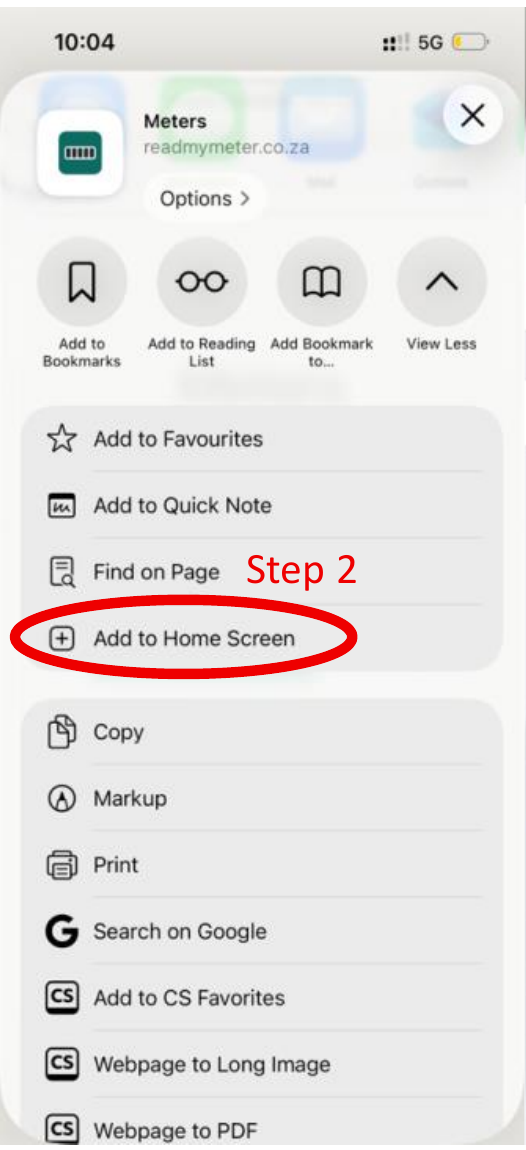
Scroll down and tap Add to Home Screen.
-
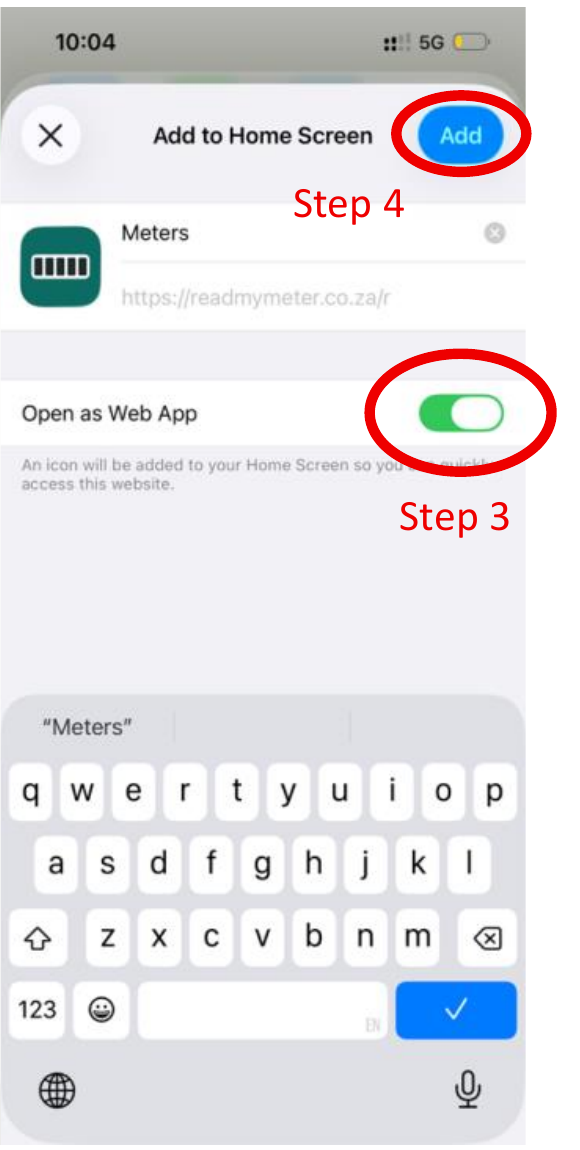
If you see the switch Open as Web App, make sure that it is on. You can change the name.
-
Tap Add, at the top right.
Android
Open the site in Chrome. Tap the menu with the three dots. Tap Install app, or Add to Home screen. Tap Install.